
Greetings Around The World
Best on a laptop or TV
Slideshow
One picture at a time to discuss!
- No scores
- Good for chatting
- 1 Every item fills the screen
- 2 Next slide with the arrow keys or a clicker
- 3 Let the room share their memories
Image Reveal
A jigsaw guessing game!
- One group or teams
- Guessing
- 1 Call a number to turn a piece
- 2 Anyone can guess at any time
- 3 Got it? Click "Show answer"
Memory Match
Find the matching pairs!
- Teams
- 6, 8 or 12 pairs
- 1 Call two numbers to turn two cards
- 2 A pair? Go again
- 3 No pair? Next team's turn
Playing on a TV
Get any game onto your TV!
- 1 Pick a game. It opens in a new tab
- 2 Plug your laptop into the TV with an HDMI cable
- 3 Play from your laptop. The TV shows your screen

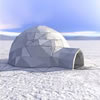
Greetings are a fascinating window into global cultures, ranging from formal bows and clasped hands to intimate cheek kisses and even nose rubs. How do your family and friends greet each other?
Greetings Around The World
Available with Full Membership. Unlock to access:
Full Membership - $74.95 USD per year
No auto-renewals · 30-day money-back guarantee
Your workplace can pay: choose Invoice at checkout.
Already a member? Log in

 Activities Assistant
I love this activity but once again I want to know if there is a way to show these wonderful illustrations on our Television at works rather than printing all the pictures. I SEE THE SLIDESHOW OPTION BUT HOW CAN I USE IT AT WORK WITH 10-15 residents? I end up printing (costly) at home & passing the pictures around. For them to see it on the wide screen TV would be
I have asked this same question before and never get a response. I LOVE YOUR SITE & FABULOUS IDEAS BUT I"M SO FRUSTRATED NOT KNOWING IF THERE IS A WAY TO SHOW THIS ON OUR LARGE SCREEN TV... If I can't I can't but PLEASE let me know...


Hi Cynthia, I'm not sure sure if you saw the reply to your last question regarding this. Here are some instructions for you to try:
Simply open the activity on your computer and click the Play button to launch it as a full-screen slideshow. Then connect your computer to the TV using an HDMI cable, or by casting/screen mirroring, just as you would when showing a video.
We also have a handy step-by-step guide in our Help Center. Just search for “Slideshow” and it will walk you through the process.
It may take a little setting up the first time, but once you’ve done it, it’s nice and easy!





Greetings Around The World
Best on a laptop or TV
Slideshow
One picture at a time to discuss!
- No scores
- Good for chatting
- 1 Every item fills the screen
- 2 Next slide with the arrow keys or a clicker
- 3 Let the room share their memories
Image Reveal
A jigsaw guessing game!
- One group or teams
- Guessing
- 1 Call a number to turn a piece
- 2 Anyone can guess at any time
- 3 Got it? Click "Show answer"
Memory Match
Find the matching pairs!
- Teams
- 6, 8 or 12 pairs
- 1 Call two numbers to turn two cards
- 2 A pair? Go again
- 3 No pair? Next team's turn
Playing on a TV
Get any game onto your TV!
- 1 Pick a game. It opens in a new tab
- 2 Plug your laptop into the TV with an HDMI cable
- 3 Play from your laptop. The TV shows your screen