Winter Bingo
Best on a laptop or TV
Bingo caller
Calls bingo on a big screen!
- Needs printed cards
- Any group size
- 1 Print the cards and hand out pens
- 2 Click "Call", press Space, or use the auto-caller
- 3 Someone shouts Bingo? Use the card checker
Slideshow
One picture at a time to discuss!
- No scores
- Good for chatting
- 1 Every item fills the screen
- 2 Next slide with the arrow keys or a clicker
- 3 Let the room share their memories
Image Reveal
A jigsaw guessing game!
- One group or teams
- Guessing
- 1 Call a number to turn a piece
- 2 Anyone can guess at any time
- 3 Got it? Click "Show answer"
Memory Match
Find the matching pairs!
- Teams
- 6, 8 or 12 pairs
- 1 Call two numbers to turn two cards
- 2 A pair? Go again
- 3 No pair? Next team's turn
Playing on a TV
Get any game onto your TV!
- 1 Pick a game. It opens in a new tab
- 2 Plug your laptop into the TV with an HDMI cable
- 3 Play from your laptop. The TV shows your screen
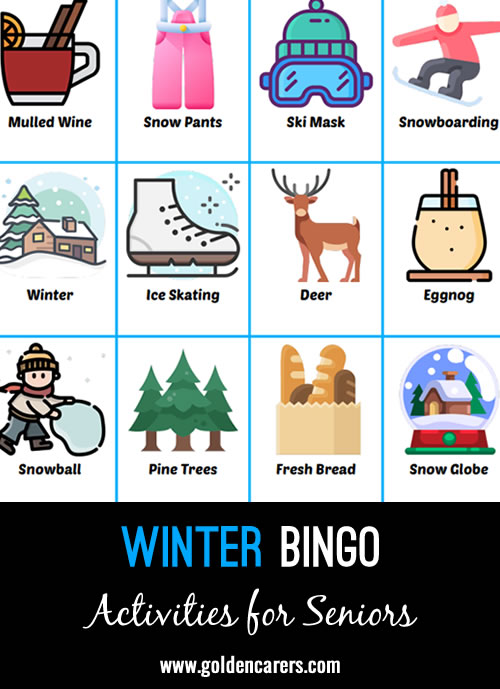
Winter Bingo
Available with Full Membership. Unlock to access:
Full Membership - $74.95 USD per year
No auto-renewals · 30-day money-back guarantee
Your workplace can pay: choose Invoice at checkout.
Already a member? Log in

 Recreation Coordinator
Hello Golden Carers, We love playing Bingo at our assisted Living home. Could you make your Bingo Cards with 5 pictures across and 5 down. It makes our games longer and we play using shapes. The letter z, a cross, x, etc. It's hard to do that with only 4 x 4.


Thanks for your feedback Holly, we will certainly keep this in mind when creating new bingo games. You can change the format of the bingo games before printing to 5 x 5 however you will need to ensure there are 36+ items to run a 5x5 bingo game. Many of the bingo games on the website are submitted by other members and have less than this.
Did you know that you can edit most bingo games on here and add/edit or remove items as required?
All you need to do is click on the 'Make a Copy' button under the activity. This can be a really fun way of quickly customizing existing bingo games to suit you.
Thanks Holly!

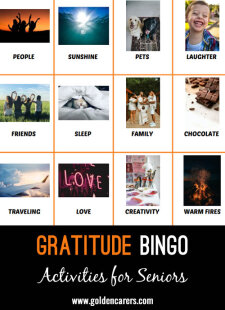
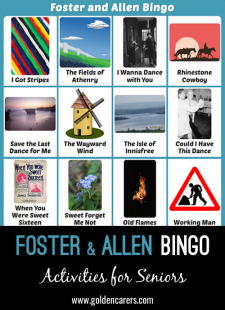

Winter Bingo
Best on a laptop or TV
Bingo caller
Calls bingo on a big screen!
- Needs printed cards
- Any group size
- 1 Print the cards and hand out pens
- 2 Click "Call", press Space, or use the auto-caller
- 3 Someone shouts Bingo? Use the card checker
Slideshow
One picture at a time to discuss!
- No scores
- Good for chatting
- 1 Every item fills the screen
- 2 Next slide with the arrow keys or a clicker
- 3 Let the room share their memories
Image Reveal
A jigsaw guessing game!
- One group or teams
- Guessing
- 1 Call a number to turn a piece
- 2 Anyone can guess at any time
- 3 Got it? Click "Show answer"
Memory Match
Find the matching pairs!
- Teams
- 6, 8 or 12 pairs
- 1 Call two numbers to turn two cards
- 2 A pair? Go again
- 3 No pair? Next team's turn
Playing on a TV
Get any game onto your TV!
- 1 Pick a game. It opens in a new tab
- 2 Plug your laptop into the TV with an HDMI cable
- 3 Play from your laptop. The TV shows your screen