
By
Rosa
 Recreation
Recreation
Antique Guessing Game
Join to add to your calendar
S
M
T
W
T
F
S
6
311
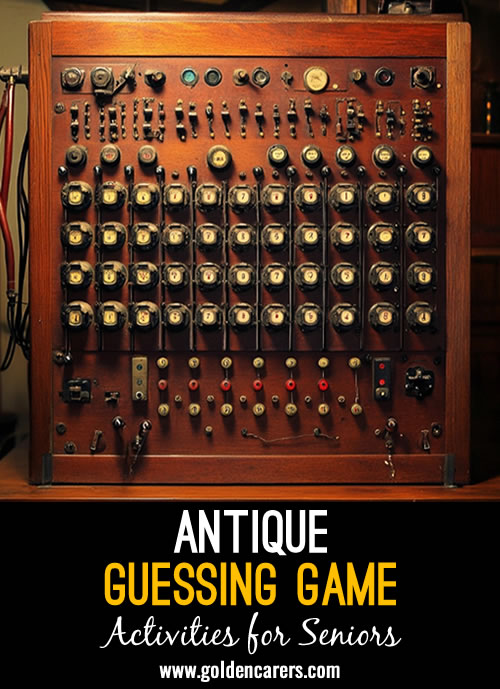
Take a fascinating trip into the past with this visual guessing game featuring unusual antiques and objects from bygone days!
Select Play > Slideshow to present the activity, and cast or connect your device to a large screen for everyone to enjoy together. Show each item and invite participants to guess what it is or what it was used for before revealing the answer and interesting information.
Encourage discussion along the way - participants may recognise an item, remember using something similar, or have a story to share!
How to Play
- Show participants one antique item at a time.
- Ask: “What is this?” or “What do you think it was used for?”
- Encourage everyone to share their guesses and ideas.
- Reveal the answer and read the interesting information provided.
- Allow time for participants to share any memories or stories the item brings to mind.
Members-Only
Antique Guessing Game
Available with Full Membership. Unlock to access:
12 months of unlimited access - no recurring monthly fees
Thousands of ready-to-use activities - updated every week
Custom activity calendars and planning tools
Editable templates
Active professional member forum
Full Membership - $74.95 USD per year
No auto-renewals · 30-day money-back guarantee
Comments
6
Log In
to comment




This is really a question, I have these activities on my home computer & end up using a LOT of ink printing the pictures (Copying Antique Guessing game now) How do I Golden Carers on the TV's at work? So much better when presenting these wonderful activities AND cheaper for me!
Thank you
Hi Cynthia, yes! Presenting activities on a big TV screen is a wonderful option and makes it much easier for everyone to join in.
Simply open the activity on your computer and click the Play button to launch it as a full-screen slideshow. Then connect your computer to the TV using an HDMI cable, or by casting/screen mirroring, just as you would when showing a video.
We also have a handy step-by-step guide in our Help Center. Just search for “Slideshow” and it will walk you through the process.
It may take a little setting up the first time, but once you’ve done it, it’s nice and easy!
I'm pretty sure that number 20 is a Bag Hook. It is used to hook and shift bags of grain or bales of wool.
I think you're right! I have updated this.
How do I print the pictures as well?
Hi Monica, when you select print you can then choose the print layout you want. If you select 'card' and then '2x2' - this one works well with this activity. See how you go.