This Day In History For Seniors: August
Best on a laptop or TV
Slideshow
One picture at a time to discuss!
- No scores
- Good for chatting
- 1 Every item fills the screen
- 2 Next slide with the arrow keys or a clicker
- 3 Let the room share their memories
Image Reveal
A jigsaw guessing game!
- One group or teams
- Guessing
- 1 Call a number to turn a piece
- 2 Anyone can guess at any time
- 3 Got it? Click "Show answer"
Memory Match
Find the matching pairs!
- Teams
- 6, 8 or 12 pairs
- 1 Call two numbers to turn two cards
- 2 A pair? Go again
- 3 No pair? Next team's turn
Playing on a TV
Get any game onto your TV!
- 1 Pick a game. It opens in a new tab
- 2 Plug your laptop into the TV with an HDMI cable
- 3 Play from your laptop. The TV shows your screen
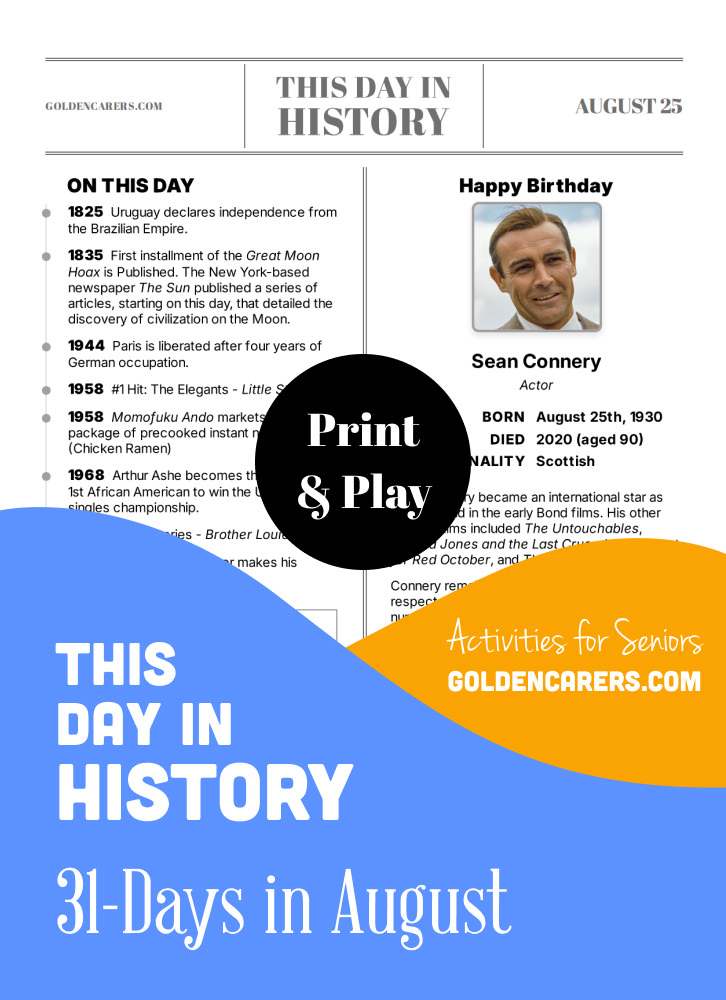
A reminiscing magazine for every day in August! Enjoy a mix of historical events, short biographies, jokes, quotes, and light brain teasers.
How to Use:
- Hover over any biography image to reveal the print option.
- Choose to print all pages or select individual ones.
- Print and share the pages, or display them on a screen for group activities.
A great idea for a daily ritual or group discussion.
This Day In History For Seniors: August
Available with Full Membership. Unlock to access:
Full Membership - $74.95 USD per year
No auto-renewals · 30-day money-back guarantee
Your workplace can pay: choose Invoice at checkout.
Already a member? Log in

 Activities Assistant
It's wonderful but I can't keep printing pictures; TOO MUCH INK! How do I transfer an activity to any available television?
I've asked this before but get no response.
THANK YOU!
 Recreation and Rehab Mgr
Cynthia, we use an i-pad with attachment from Best Buy. attaches i-Pad to the big screen TV through HDMI. This also works with your cell phone, but rather with an attachment for the TV HDMI. Our TVs are 14 years old, and this works.

Hi Cynthia,
You don’t need to print anything! Open the activity on your computer and click Play to start the fullscreen slideshow.
To show it on a TV, your computer needs to be connected to the TV using an HDMI cable or by casting/screen mirroring. If you’re not familiar with this technology, it may be worth asking someone to help you get connected the first time. Once it’s set up, it’s a great way to use many of the activities without printing.
We have a step-by-step guide in our Help Center here:
https://www.goldencarers.com/help/play-games-and-videos-on-your-tv/38
I hope this helps!
Thanks for your feedback Alison, the full year is available here:

 Life Coach
What we did today was quite fun. We went through ‘this day in history’ and then played hangman afterwards. All the words I chose, came from the information in ‘this day in history’. The residents quickly picked this up and then - once a word was identified in hangman - I asked them from which fact / detail it came. So memory was also tested. We had quite a lot of fun.
 Assisted Living Coordinator
My resident love this day in history, and the different stories. I also like reading to those who cannot see enough to do it on their own. They also love the newsletter that I have started with your template. Should have done this sooner. Love this program. Thanks
 Lifestyle Coordinator
Thanks for these. we read them everyday, just before morning tea, and during the current situation we have used our youtube and whilst having morning tea have watched a clip on something that we read about for the day.
the residents are thoroughly enjoying this.
Therapeutic Recreation Specialist/Lifestyle & Program Manager
My residents love the Day in History. Is there any new ones coming out. A lot of my residents have already read them last year. Thanks S
Hi Shannon, thanks for your feedback.
We will review and update the This Day in History series in 2021!
 Retired
Looking forward to downloading to share with friends @ Stanbridge House, Banbury, where I live...
Activities Director
My residents love "This Day in History"... they especially love the corny joke of the day... the cornier, the better.
Activities Coordinator
This day in history is a wonderful addition to my daily activities ..it provides conversation for my 1 to 1 sessions ..thank you
lifestyle & volunteer coordinator
Really like the "This day in History..." articles. Lots of information and reminiscing topics. A day can nearly go on for a week! :) Thanks for all the hard research that you have done for them.





This Day In History For Seniors: August
Best on a laptop or TV
Slideshow
One picture at a time to discuss!
- No scores
- Good for chatting
- 1 Every item fills the screen
- 2 Next slide with the arrow keys or a clicker
- 3 Let the room share their memories
Image Reveal
A jigsaw guessing game!
- One group or teams
- Guessing
- 1 Call a number to turn a piece
- 2 Anyone can guess at any time
- 3 Got it? Click "Show answer"
Memory Match
Find the matching pairs!
- Teams
- 6, 8 or 12 pairs
- 1 Call two numbers to turn two cards
- 2 A pair? Go again
- 3 No pair? Next team's turn
Playing on a TV
Get any game onto your TV!
- 1 Pick a game. It opens in a new tab
- 2 Plug your laptop into the TV with an HDMI cable
- 3 Play from your laptop. The TV shows your screen