
 Director of ABIDE Respite Ministries
Van Gogh: Art & Music Experience
Best on a laptop or TV
Slideshow
One picture at a time to discuss!
- No scores
- Good for chatting
- 1 Every item fills the screen
- 2 Next slide with the arrow keys or a clicker
- 3 Let the room share their memories
Image Reveal
A jigsaw guessing game!
- One group or teams
- Guessing
- 1 Call a number to turn a piece
- 2 Anyone can guess at any time
- 3 Got it? Click "Show answer"
Memory Match
Find the matching pairs!
- Teams
- 6, 8 or 12 pairs
- 1 Call two numbers to turn two cards
- 2 A pair? Go again
- 3 No pair? Next team's turn
Playing on a TV
Get any game onto your TV!
- 1 Plug your laptop into the TV with an HDMI cable
- 2 Press Input or Source on the TV remote and pick that HDMI port
- 3 Pick a game from the list. The TV shows your screen
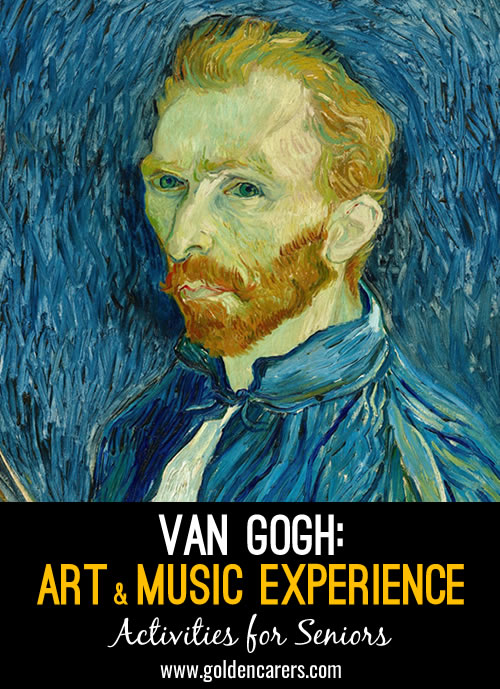
Explore the beautiful paintings of Vincent van Gogh through art and music! This relaxing activity combines six famous artworks with musical compositions by pianist Remko Kühne, each inspired by a particular painting.
Display each painting on a large screen or TV, share its story, then play the accompanying music. Encourage residents to discuss the colours, scenes and feelings each artwork evokes.
Van Gogh: Art & Music Experience
Available with Full Membership. Unlock to access:
Full Membership - $74.95 USD per year
No auto-renewals · 30-day money-back guarantee
Your workplace can pay: choose Invoice at checkout.
Already a member? Log in




Van Gogh: Art & Music Experience
Best on a laptop or TV
Slideshow
One picture at a time to discuss!
- No scores
- Good for chatting
- 1 Every item fills the screen
- 2 Next slide with the arrow keys or a clicker
- 3 Let the room share their memories
Image Reveal
A jigsaw guessing game!
- One group or teams
- Guessing
- 1 Call a number to turn a piece
- 2 Anyone can guess at any time
- 3 Got it? Click "Show answer"
Memory Match
Find the matching pairs!
- Teams
- 6, 8 or 12 pairs
- 1 Call two numbers to turn two cards
- 2 A pair? Go again
- 3 No pair? Next team's turn
Playing on a TV
Get any game onto your TV!
- 1 Plug your laptop into the TV with an HDMI cable
- 2 Press Input or Source on the TV remote and pick that HDMI port
- 3 Pick a game from the list. The TV shows your screen